How to Find Social Media Profiles by Name, Username & Email
Typing a name into Google and hoping the right profile shows up rarely works anymore. Between duplicate names, private accounts, and platforms that block search engines entirely, most people give up after the first page of results. If you’ve ever wondered how to find social media profiles by name, username & email, the good news is that it’s a solvable problem you just need the right sequence of steps, not just a lucky search.
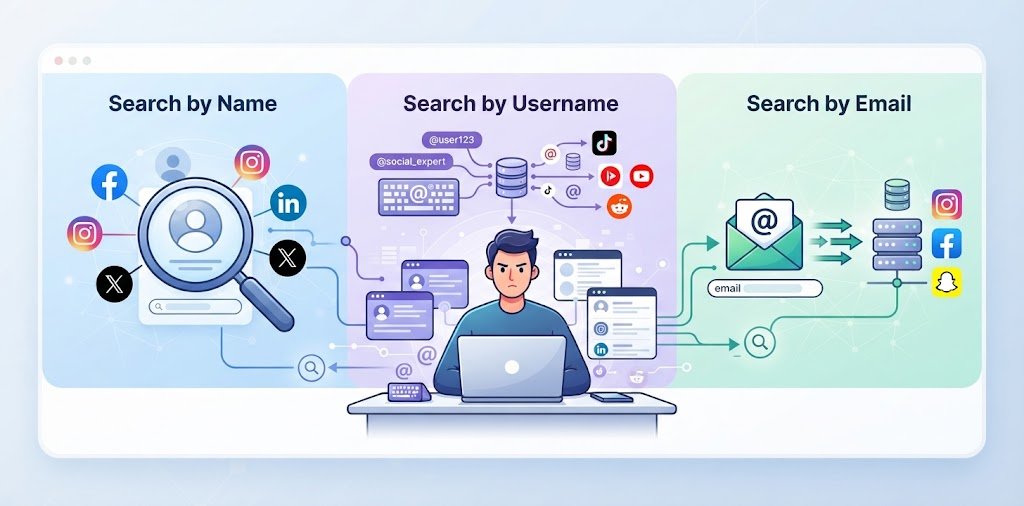
This guide breaks the process into three practical paths searching by name, by username, and by email address — and shows you which free tools actually work for each one, where they fall short, and how to avoid the mistakes that send most searches nowhere.
Why People Search for Social Media Profiles
Before getting into the how-to, it helps to know when this skill actually gets used:
- Reconnecting with an old classmate, coworker, or relative when you only remember a first name or an old handle
- Verifying an identity before a business deal, a rental agreement, or a first date arranged online
- Checking your own exposure — most people are surprised how many old, forgotten accounts still show up under their name
- Recruiting and vetting — HR teams and freelance clients often run a quick social media search by name before signing off on a hire
Whatever the reason, the underlying method doesn’t change much. What changes is which identifier you’re starting from.
How to Find Social Media Profiles by Name
Name-based search is the least precise starting point, mainly because names aren’t unique. A search that returns three “John Miller” profiles isn’t useless, but it needs narrowing.
Use Search Engine Operators
Plain search engines index a surprising amount of public social content if you query them correctly. The site: operator restricts results to one platform at a time:
"John Miller" site:linkedin.com/in"John Miller" site:instagram.com"John Miller" site:facebook.com
Wrapping the name in quotation marks forces an exact-phrase match instead of two loosely related keywords. You can also combine platforms with OR in a single query to save time, and drop the -inurl: operator to exclude a username you already know when you’re hunting for a second, less obvious account.
Narrow Down With Extra Context
A bare name search on a common surname is close to useless without a second data point. Add a city, employer, school, or job title to the query, and the noise drops fast:
"John Miller" "Austin, TX" site:instagram.com"John Miller" "Google" site:linkedin.com/in
If you’re comfortable with AI search assistants, prompting one to generate several dork variations at once (different platforms, different phrasing of the name) saves manual typing and rarely gets covered in older guides, even though it’s now one of the fastest ways to run this kind of social media search for someone.
How to Find Social Media Profiles by Username
If you already have a handle from one platform, a username-based search is by far the most reliable of the three methods often more useful than a name search, because handles are far less common than names.
Why the Same Username Keeps Showing Up
Most people don’t invent a new handle for every platform they join. They pick one alias early on often tied to a nickname, birth year, or old email prefix and reuse it for years out of habit. That single point of reuse is what makes cross-platform lookups so effective: find the handle once, and it frequently unlocks a trail across a dozen unrelated services.
Tools for a Cross-Platform Username Search
A handful of free, browser-based tools check a single username against hundreds of platforms in one pass instead of you visiting each site manually:
- WhatsMyName — checks the handle against several hundred public source definitions and flags which ones returned a match, with a “safe mode” that filters adult-category sources from the default view
- Sherlock (command line) — an open-source tool with one of the broadest platform lists, popular with OSINT researchers who don’t mind a bit of setup
- Namechk — a fast, simple front end for checking handle availability across major networks, useful as a quick first pass
None of these tools confirm ownership a “found” result only means a public page exists at that address, not that it belongs to the person you’re looking for. Always open the profile and compare the bio, photo, and posting history before treating a match as confirmed. This step is the one most free social media search guides skip, and it’s exactly where false positives creep in.
Manually Cross-Checking a Handle
If a person’s GitHub or Reddit handle is unusual enough (not “mike123”), it’s often faster to just paste it directly into the URL structure of other platforms instagram.com/handle, x.com/handle, tiktok.com/@handle than to run a full scan. This works best on distinctive, invented usernames rather than common first-name-plus-number combinations.
How to Find Social Media Profiles by Email Address
An email address is the most stable identifier of the three, since most platforms still require one at signup even accounts that hide it from public view.
Search the Platform Directly
Several networks let you paste an email straight into their own search bar or password-recovery flow:
- On Facebook, an email pasted into the main search bar surfaces a linked profile if the person hasn’t restricted email-based search in their privacy settings.
- On LinkedIn, the search bar sometimes returns a direct match, depending on the account holder’s visibility settings.
- On X (Twitter), running the email through the “forgot password” flow confirms whether an account exists tied to it, without revealing the handle itself.
Use Contact Sync Features
Adding the email to your phone’s contact list and then opening a platform’s “Discover People” or contact-sync feature (common on Instagram and Snapchat) often surfaces a linked account within a day or two, since these apps compare your contact list against their own user database.
Try a Digital Footprint Scanner
Free tools built for exactly this checking which accounts and networks are tied to a single email can save a lot of manual platform-hopping. They’re not perfect (results depend heavily on each platform’s own privacy settings), but they’re a reasonable first pass before trying anything paid.
Free Social Media Finder Tools Compared
| Tool | Best For | Input Type | Cost |
|---|---|---|---|
| WhatsMyName | Cross-platform username search | Username | Free |
| Sherlock (CLI) | Broadest platform coverage | Username | Free, open source |
| Google Search Operators | Name-based public profile search | Name / email | Free |
| Yandex Images | Reverse image / face matching | Photo | Free |
| Digital footprint scanners | Email-to-account matching | Free tier, often limited |
Free vs Paid Profile Finder Tools: Pros and Cons
Free tools cover most everyday searches, but it’s worth understanding the trade-off before deciding which route fits your situation.
| Pros | Cons | |
|---|---|---|
| Free Tools (WhatsMyName, Sherlock, Google Dorks) | No cost, query platforms directly so results stay current, full control over each search | Manual verification needed, higher false-positive rate on common names/handles, no consolidated report |
| Paid People-Search Services | One consolidated report, lower false-positive rate, includes extra data like public records | Costs per search or subscription, relies on third-party databases that can lag behind live platform changes |
Common Mistakes That Sabotage a Social Media Search
- Searching only one platform. Instagram, Facebook, and TikTok get all the attention, while Reddit, Discord, and smaller niche communities go unchecked and Google indexes some of these far more thoroughly than the big three.
- Trusting a single username match. Common handles get claimed by dozens of unrelated people; always verify with a second signal (photo, bio, location, mutual connections).
- Skipping variations. A search for “johnsmith” misses “john.smith92,” “jsmith,” and old, abandoned handles that might still be live.
- Staying logged into your own account while searching. Some platforms notify people when their profile shows up in someone else’s activity, or suggest you back to them through “people you may know” style features. Search in a private browser window when this matters.
Is It Legal to Search for Someone’s Social Media Profiles?
Searching public information profiles with no privacy restrictions, public posts, and results returned by a standard people search or username tool is legal in most countries, including the United States. The line moves the moment you go further: logging into someone else’s account without permission, using guessed or leaked passwords, or installing tracking software on a device you don’t own crosses into activity restricted under laws like the Computer Fraud and Abuse Act. If you’re searching for something with legal weight (a custody matter, a fraud concern), stick to publicly available results and keep records of what you found and where.
Frequently Asked Questions
What’s the fastest way to find social media profiles by name?
Combine a search engine’s site: operator with the person’s name in quotes and one extra detail — a city, employer, or school. This narrows results dramatically faster than a plain name search on its own.
Can I find someone’s social media just from their email address?
Often, yes. Try pasting the email into a platform’s own search bar or password-recovery form, syncing it to your contacts for apps with a “Discover People” feature, or running it through a free digital footprint scanner.
Is there a truly free social media profile finder?
Yes tools like WhatsMyName and Sherlock check a username across hundreds of platforms at no cost, and Google’s search operators work for name-based searches without any signup. Paid tools add convenience and consolidated reports, not necessarily better raw coverage.
Why do different tools give different results for the same person?
Each tool queries a different set of platforms and handles rate-limiting differently. Running two or three free tools together usually finds more than relying on just one.
Is it safe to use a social media account finder?
Reputable free tools only check public profile patterns — they don’t log into accounts or bypass privacy settings. Avoid any tool that asks for a password or claims to “hack” a private profile; that’s outside legitimate use and often a scam.
Conclusion
Finding someone’s social media presence isn’t about one magic tool — it’s about matching the right method to whatever piece of information you’re starting with. A name works best with search operators and extra context, a username unlocks a cross-platform trail in seconds, and an email address often reveals accounts that don’t show up any other way. Run two or three free methods together, always confirm a match manually before acting on it, and you’ll get further than most people who stop after a single Google search.
Looking for a faster starting point? Try our free profile finder to run a search in seconds instead of checking each platform by hand.