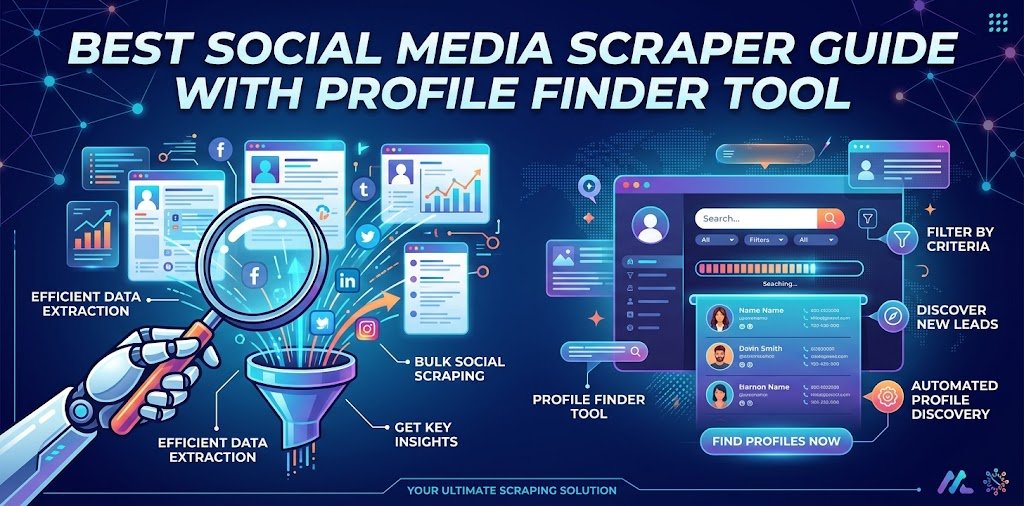
Best Social Media Scraper Guide with Profile Finder Tool
If you have ever tried to pull follower counts, bios, or public posts from Instagram, TikTok, or LinkedIn, you know how far a demo is from a working pipeline. This best social media scraper guide with profile finder tool advice explains what these tools really do, which type suits which job, and when a simple lookup beats a full scrape. A social media scraper collects public data in bulk, while a profile finder locates the accounts of one person or brand. Picking the wrong one wastes budget and gets requests blocked.
What a Social Media Scraper Actually Does
A social media scraper is software that requests public pages or internal endpoints of a network and converts what it finds into structured data such as JSON or CSV. The usual targets are profile details, posts, captions, comments, engagement counts, hashtags, and video metadata. Marketers use the output to watch competitors, researchers use it to study public sentiment, and sales teams use it to build lead lists.
Scraping vs. Official APIs
Official APIs are the cleanest route when they cover your need. They return stable fields and stay within platform rules. The catch, as university research guides point out, is that an API only serves what the platform decides to expose, often behind paid keys and request caps. X and Meta products, for example, require paid plans for meaningful access, and some networks restrict their most useful endpoints to approved partners. A social media scraper API fills the gap by collecting public information the official route does not offer.
Scraper vs. Profile Finder
Here is the distinction most guides skip. A scraper answers “give me data from thousands of pages.” A profile finder answers “where does this person or brand exist online?” If you only need to confirm a creator’s handles across networks, a social media lookup takes seconds and needs no API key, no code, and no proxy budget.
Types of Social Media Scraper Tools
Tools fall into four groups, and mixing them up is the most common reason people overspend.
Scraper APIs
You send a request with a handle or URL and receive structured data back. The provider handles blocking, retries, and formatting. Some cover a few platforms, while others advertise dozens under one schema. This is the strongest option for developers building dashboards, monitoring tools, or creator databases.
No-Code Template Tools
Platforms such as Octoparse offer preset templates: pick a site, enter a target, and export a spreadsheet. They suit analysts who never want to open a code editor, though customization is limited and templates can lag behind a platform redesign.
Open-Source Libraries and Scripts
Free code gives you full control, but you own the maintenance. Networks change internal parameters often. One vendor reports that Instagram rotates certain request identifiers every few weeks, which means an unmaintained script can quietly return empty results rather than throw errors.
AI Social Media Scraper Options
An AI social media scraper usually applies language models to messy pages, letting you describe the fields you want in plain words instead of writing selectors. It can also normalize inconsistent field names into one schema. What it cannot do is walk through a login wall or defeat fingerprinting on its own. Treat “AI” as a smarter parser, not a magic key. Some providers also expose their endpoints to AI agents through MCP servers, which is handy if you already work with assistants.
| Tool type | Best for | Skill needed | Typical cost pattern | Main risk |
|---|---|---|---|---|
| Scraper API | Ongoing data feeds | Basic coding | Credits or per-request pricing | Costs climb with volume |
| No-code template | One-off exports | None | Subscription | Templates break after redesigns |
| Open-source script | Custom research | Strong coding | Free code, paid proxies | Silent failures |
| AI-assisted extraction | Messy or changing pages | Light coding | Usage-based | Still blocked without infrastructure |
Best Social Media Scraper Options by Use Case
The best social media scraper depends on your job, not a universal ranking. Prices below come from vendor pages at the time of writing and change often, so confirm them before buying.
For multi-platform data through one schema: SocialCrawl advertises 67 platforms behind a single authentication token and a unified response format, with 100 free credits and one-time credit packs rather than a subscription. That design helps when you would otherwise stitch several vendors together.
For creator and influencer research: ScrapeCreators focuses on TikTok, Instagram, YouTube, Facebook, X, and related platforms. It offers 100 free credits, and cached results cost nothing. Its $47 pack, at roughly $1.88 per thousand requests, is a reasonable starting point for small projects.
For general scraping with anti-blocking built in: ScraperAPI handles IP rotation, CAPTCHA solving, and JavaScript rendering, with a 7-day trial and a $49 starter plan. It suits developers who scrape more than social sites.
For customizable automation: Apify’s store hosts thousands of ready-made “Actors,” including many for social networks. The flexibility is excellent, but beginners face a learning curve and costs can rise with compute usage.
For no-code exports: Octoparse templates remove the coding step entirely.
Free Social Media Scraper: What “Free” Really Means
A free social media scraper rarely means unlimited. Usually it is one of three things: a trial with limited credits, open-source code that still needs paid proxies to survive blocking, or a small monthly allowance. Free is perfect for testing whether a tool returns the fields you need. It is a poor foundation for production, because blocked requests and maintenance time are hidden costs. Calculate the price per successful record, not the price per request.
How to Test a Scraper Before You Pay
This is where our best social media scraper guide with profile finder tool approach differs from a typical listicle. Run a short trial with these checks:
- Test your hardest target first. Many tools work on YouTube and fail on Instagram or LinkedIn. One vendor cites an independent benchmark in which only a minority of tested APIs passed 80% success on heavily protected sites. Treat that as a vendor-cited claim, but the lesson holds: test the difficult platform.
- Look for silent failures. Send 50 known-good handles and count empty responses.
- Check field consistency. Follower counts should arrive under the same key on every platform.
- Measure freshness. Compare a returned follower count with the live profile.
- Calculate cost per successful record. Divide spend by usable results, not attempts.
- Read the docs, not the homepage. Clear documentation predicts how painful maintenance will be.
Is Social Media Scraping Legal?
Scraping public data is widely considered defensible, and the hiQ v. LinkedIn case is the reference point most people cite. The practical line is the login wall. Data visible to a logged-out visitor sits on safer ground than anything requiring authentication or bypassing restrictions. Three habits reduce risk: stay within public data, respect rate limits, and avoid storing personal data of EU residents without a lawful basis under GDPR. Platform terms of service can still restrict what you do, and rules vary by country. This is general information, not legal advice, so consult a lawyer for commercial projects.
When a Profile Finder Beats a Scraper
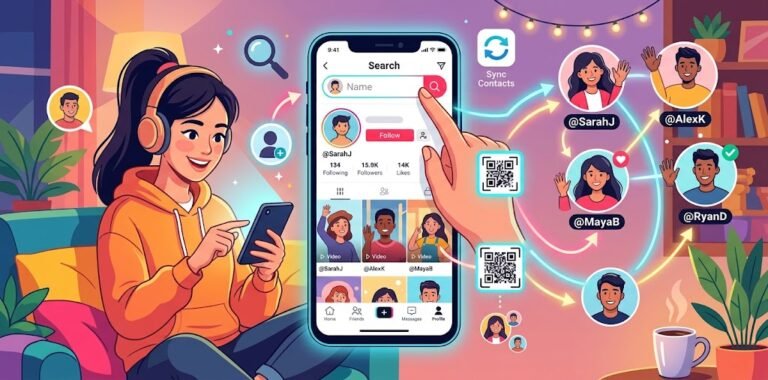
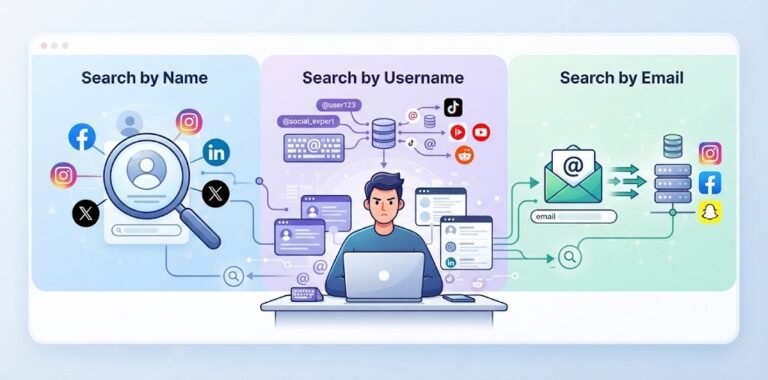
Many people searching for a scraper actually want something simpler. If you are verifying a creator before a partnership, checking whether a brand owns matching handles, or reconnecting with someone, a scraper is overkill. A social media profile finder searches many networks at once, and a free social media profile finder removes the cost barrier entirely.
| Situation | Better choice |
|---|---|
| Find one person’s accounts by name | Profile finder |
| Confirm a username exists across networks | Profile finder |
| Track 10,000 posts for sentiment | Scraper API |
| Build a creator database | Scraper API |
| Export a small list once | No-code template |
Using a Social Profile Search Step by Step
A careful social media account search takes about two minutes.
Start With the Most Unique Detail
A username or email beats a common name. If you only have a name, social media search by name works, but expect many matches.
Add Context to Narrow Results
Location, employer, or profession filters out namesakes. A social media account finder is only as accurate as the details you feed it.
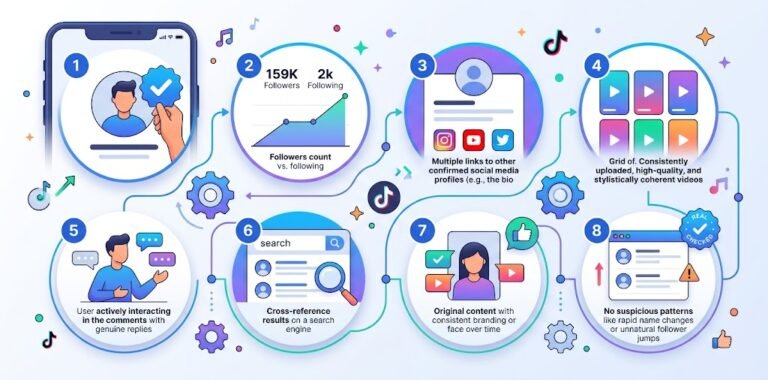
Verify Before You Trust
Match the profile photo, bio, and linked accounts. Similar handles on different networks often belong to different people, so confirm before drawing conclusions.
Common Mistakes to Avoid
Choosing a tool by platform count instead of success rate is the biggest one. The second is ignoring maintenance: scrapers break when networks change, and budgeting for that upkeep matters as much as the sign-up price. The third is collecting more personal data than the project needs, which raises both privacy and storage risks.
Frequently Asked Questions
What is the best social media scraper?
There is no single winner. Scraper APIs suit developers, no-code templates suit analysts, and a profile finder suits one-person lookups. Match the tool to volume and technical skill.
Is there a free social media scraper?
Yes, but “free” usually means trial credits, open-source code, or a small allowance. Expect to pay once you need reliable volume.
Can an AI social media scraper get around login walls?
No. AI helps parse and organize data, but access restrictions still apply.
Do I need coding skills?
Not always. No-code templates and profile finders need none, while APIs need basic scripting.
Is a social media scraper API better than an official API?
Official APIs are safer and steadier, but restricted. A scraper API can reach public data the official one omits.
What is the fastest way to find someone’s social accounts?
Use a profile finder with a username or full name, then verify matches by photo and bio.
Conclusion
Choosing well comes down to asking what you actually need: bulk data or a single answer. Use this best social media scraper guide with profile finder tool checklist to test on your hardest platform, compare cost per successful record, and stay within public data. For bulk collection, a scraper API or no-code template is the right route. For finding people and brands, a profile lookup is faster, cheaper, and safer.